Orders and buyers
eBay order management for every store you run
Each eBay store's orders, buyers and money in one workspace, a click apart. SellingSquads flags eBay's dispatch deadlines, sends your tracking to eBay, answers returns and cancellation requests, and shows what every order really made.
- Due and overdue tracking flagged
- Tracking sent to eBay
- Real profit on every order
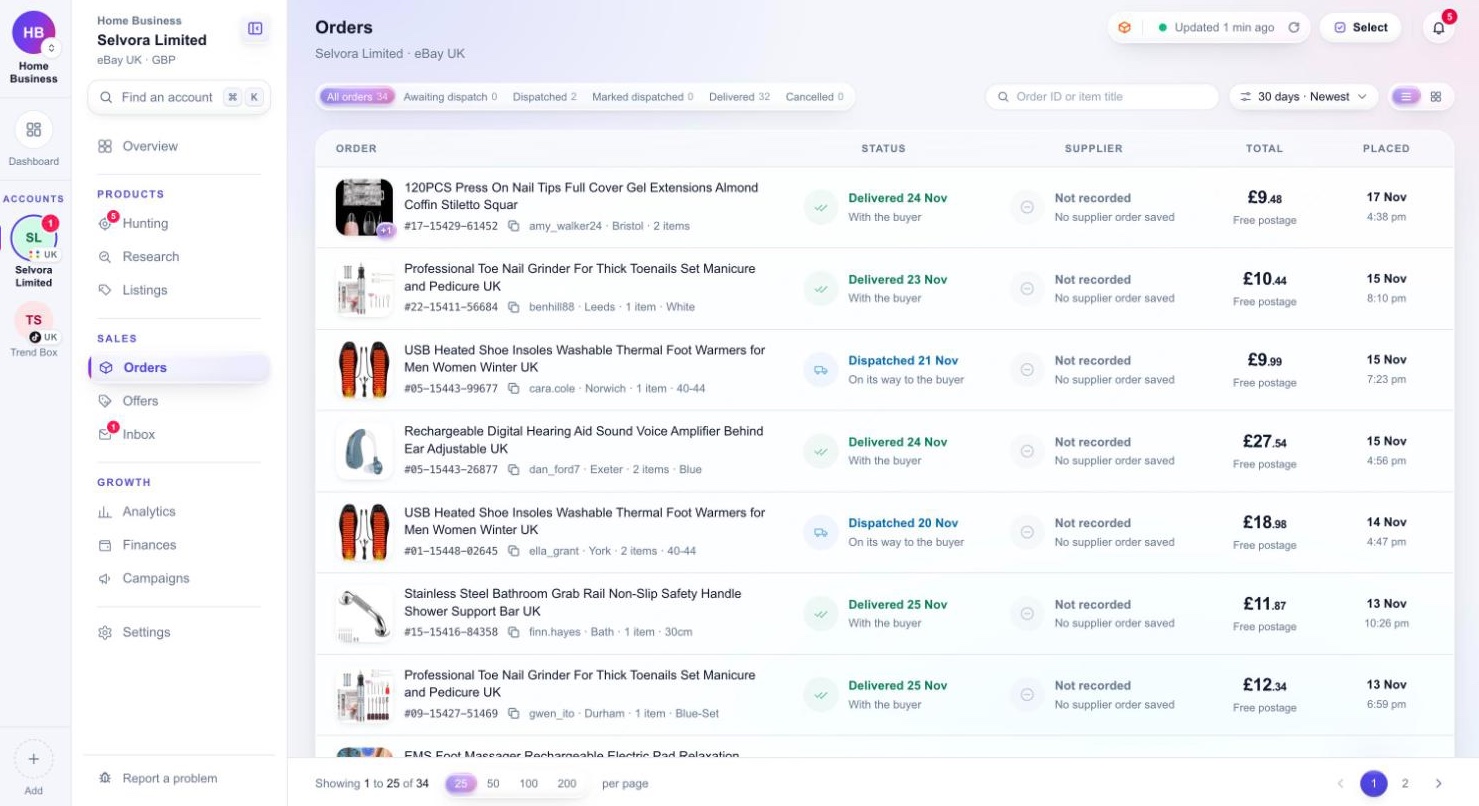
Every dispatch deadline in view
Each order shows eBay's dispatch-by date. During an order's last day it turns amber, such as "Tracking due in 5h", and once eBay's deadline passes with no tracking on eBay it's marked red, "Tracking overdue", so a late order is caught before eBay counts it late.
- Tracking filterShow only the orders that are overdue, or due within 24 hours.
- Marked dispatchedMark an order dispatched without tracking, and see who did it and when.
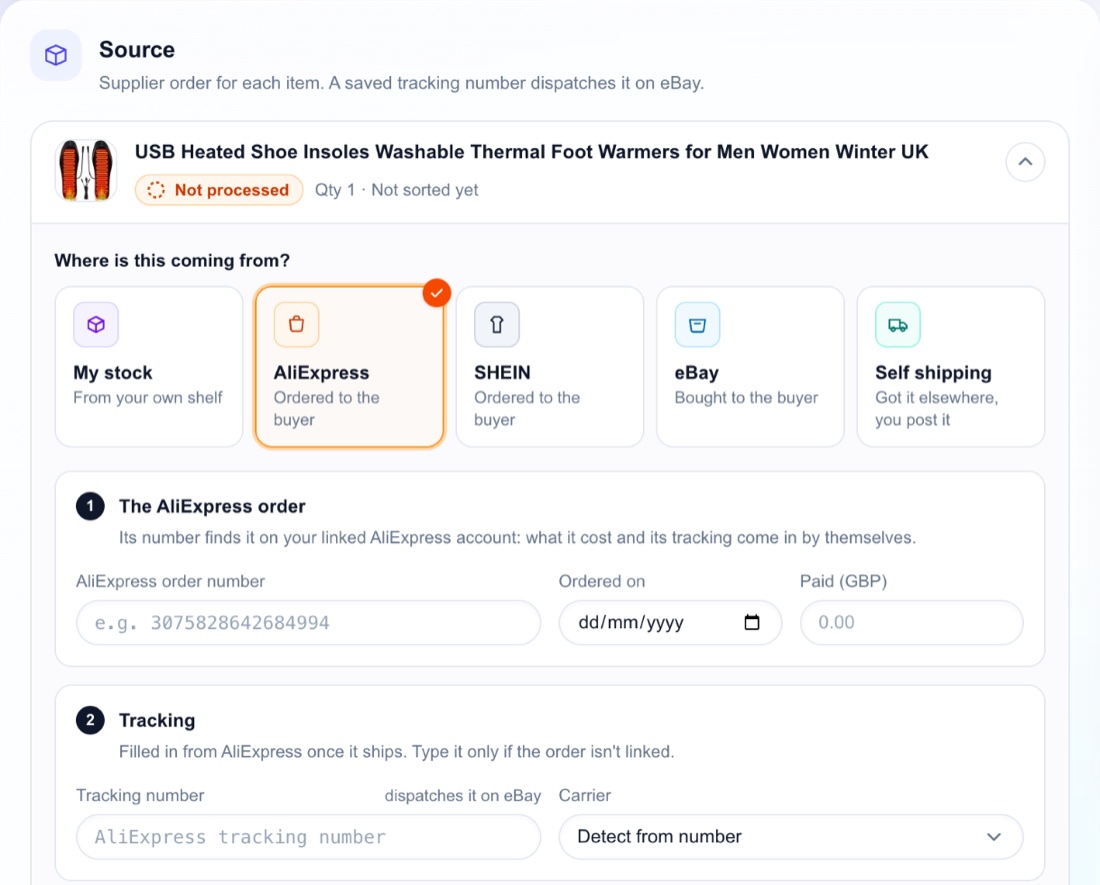
- eBay's own carriersTracking added with the carriers eBay accepts on your site, picked from the number.
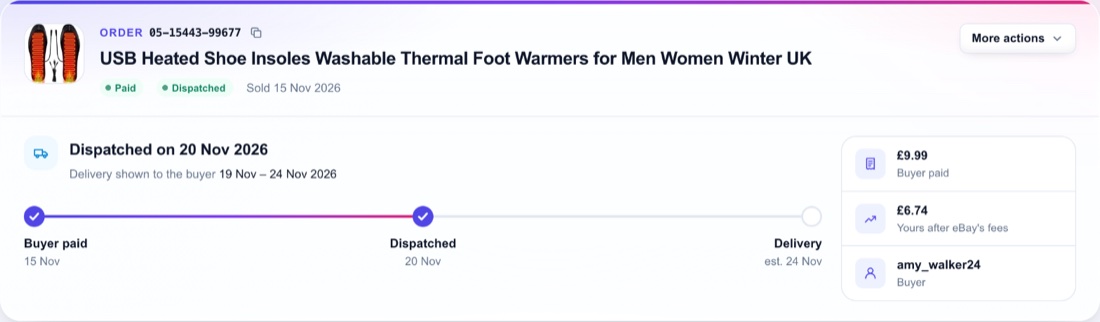
Fulfil each order and send the tracking to eBay
Follow every order from paid to delivered. For an order you buy from a supplier, record its supplier order: to order, ordered, shipped, delivered or a problem, with the supplier's order number and who did each step. Add the tracking in SellingSquads and it goes to eBay.
Returns, cancellations and cases, with eBay's deadlines
When a buyer asks to cancel, the request appears on the order with the reason, eBay's deadline and the refund, and you approve or decline it from SellingSquads. Returns, item-not-received requests and payment disputes show eBay's deadlines too, and refunds are made from the order.
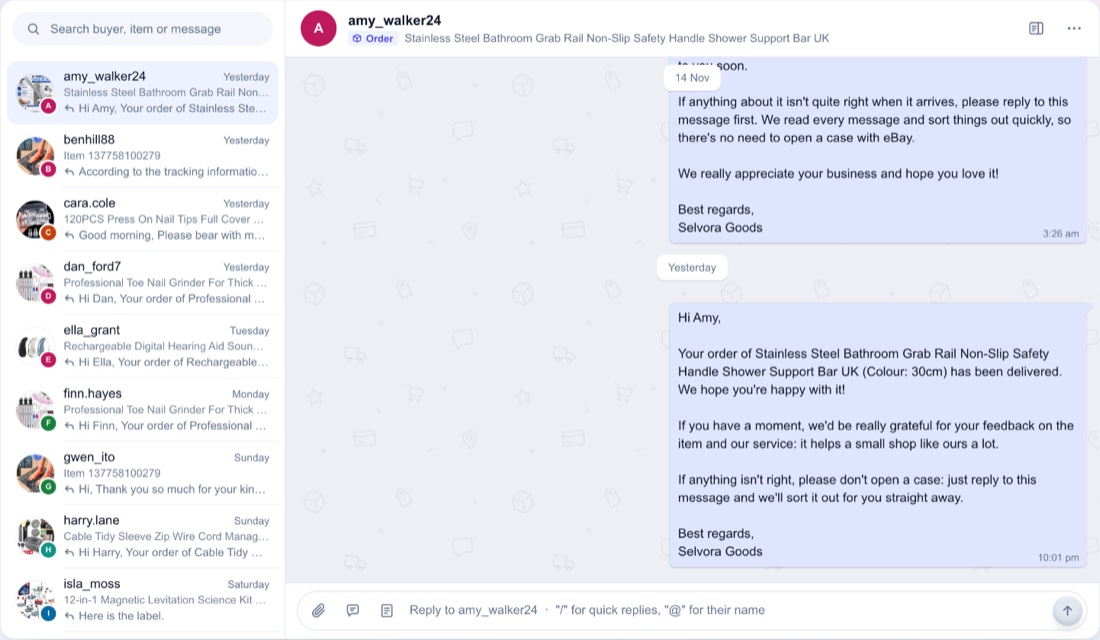
Every buyer answered, with the order beside the chat
Each store's eBay messages are laid out like a chat, with the buyer's order, its money, tracking and any open return or case beside the conversation.
- Quick repliesSaved answers that fill in the buyer's name, order, item and tracking for you.
- Automatic messagesAn order confirmation when they order and a thank-you once it's delivered, each sent once per order, in your words.
- Notes for the teamNotes on a conversation that the buyer never sees.
Buyers' Best Offers with the profit at each price
Every Best Offer comes in from eBay onto one Offers page, with what it would leave you after eBay's fees, the item's cost and its General ad's fee. Accept it, counter it, or decline it, each confirmed first, and a counter can never go under your minimum. Switch Best Offer on for a listing from its row, with eBay's automatic accept and decline prices set from its cost and your minimum profit.
Feedback and reviews for every store
Each store's reviews come in and are tied to their orders: your positive share and score, the four detailed star ratings, and every review to search and reply to in public. Ask a buyer for feedback once their order is delivered, leave positive feedback in a click, and filter your orders by the rating they left.
What every order really made
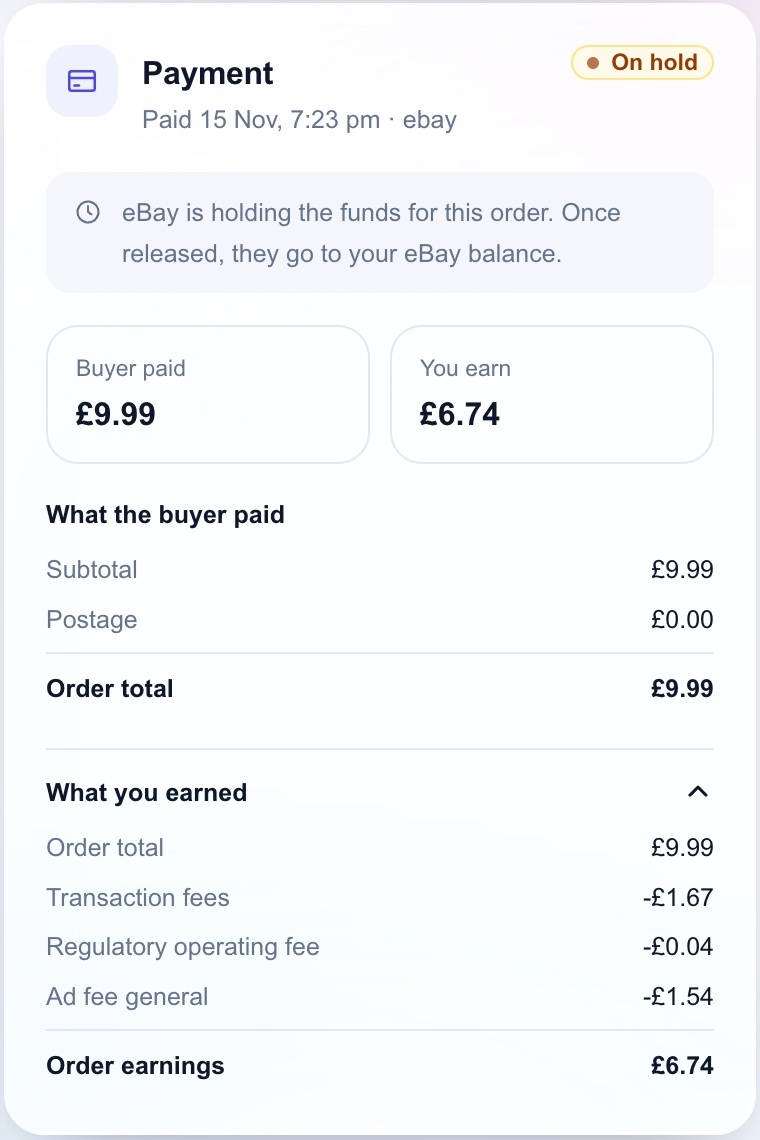
SellingSquads reads each store's money from eBay: earnings, eBay's fees with the promoted listing fee apart, refunds and money on hold. With your supplier costs and any postage you paid, every order shows its real profit and margin, and each month has a statement.
Which plan includes order management
Orders, returns and cases, the eBay Inbox with automatic messages, and Finances come with the Seller plan, $24.99 a month for 1 store, and up. The Pro plan covers 3 stores, and the Team plan is built to your size. The Lister plan is for listings only.
eBay order management questions
Can I manage several eBay stores' orders in one place?
Yes. Every store you connect sits in the same workspace, so each store's orders are a click apart, with eBay's dispatch deadlines flagged on every order. You move between stores from the store list, without signing in to eBay again.
Does SellingSquads send tracking numbers to eBay?
Yes. Add the tracking on the order, with one of the carriers eBay accepts on your site, picked from the number, and SellingSquads sends it to eBay. You can also mark an order dispatched without tracking.
How does it help me avoid late shipments?
Every order shows eBay's dispatch-by date. It turns amber during its last day and red once the deadline has passed with no tracking on eBay, and a filter shows only the orders overdue or due within 24 hours.
Can I handle cancellations and returns in SellingSquads?
Yes. Approve or decline a buyer's cancellation request from the order, with eBay's deadline in view. Returns, item-not-received requests and payment disputes show eBay's deadlines, and refunds are made from the order.
Can it message buyers automatically?
Yes. Switch on an order confirmation, sent as soon as a buyer orders, and a thank-you, sent once eBay shows the order delivered. Each is worded by you, signed with your store's name and sent once per order.
Which plan do I need?
The Seller plan, $24.99 a month for 1 store, or a bigger plan. The Pro plan covers 3 stores and the Team plan is built to your size. Every plan starts with a 5-day free trial.
Run your orders free for 5 days
Start a 5-day free trial with every feature open. Your card is needed to start, and nothing is charged for 5 days.
Start free trial