Analytics
eBay listing analytics that show why it sells, or doesn't
eBay's own traffic for every listing, day by day: how often it's shown in search, clicked and bought, against your typical listing. SellingSquads points to the listings losing you sales, makes the changes that win them back, and measures every change.
- eBay's own figures
- 90 days of history
- On the Pro and Team plans
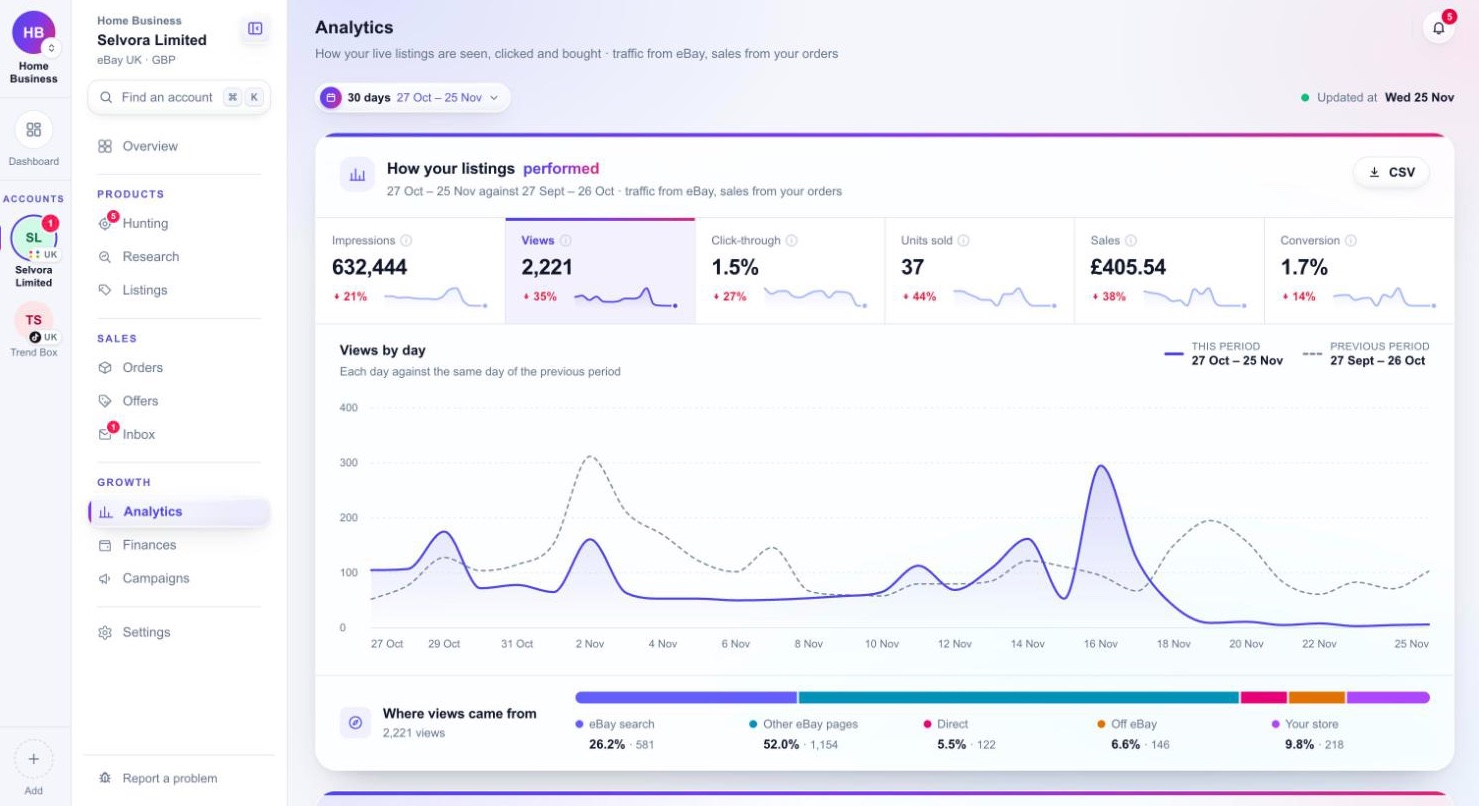
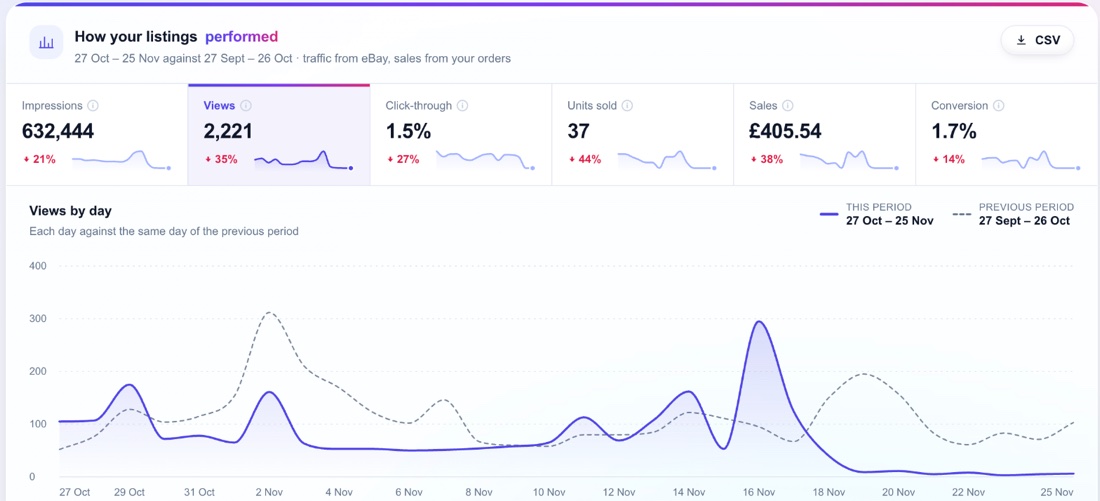
eBay's own traffic for every listing, day by day
Impressions, views, click-through, units sold, sales and conversion, for the whole store and for each listing, against the period before. Your last 30 days are ready within minutes of switching a store on, the rest of the history fills in after, and a new day is added every morning.
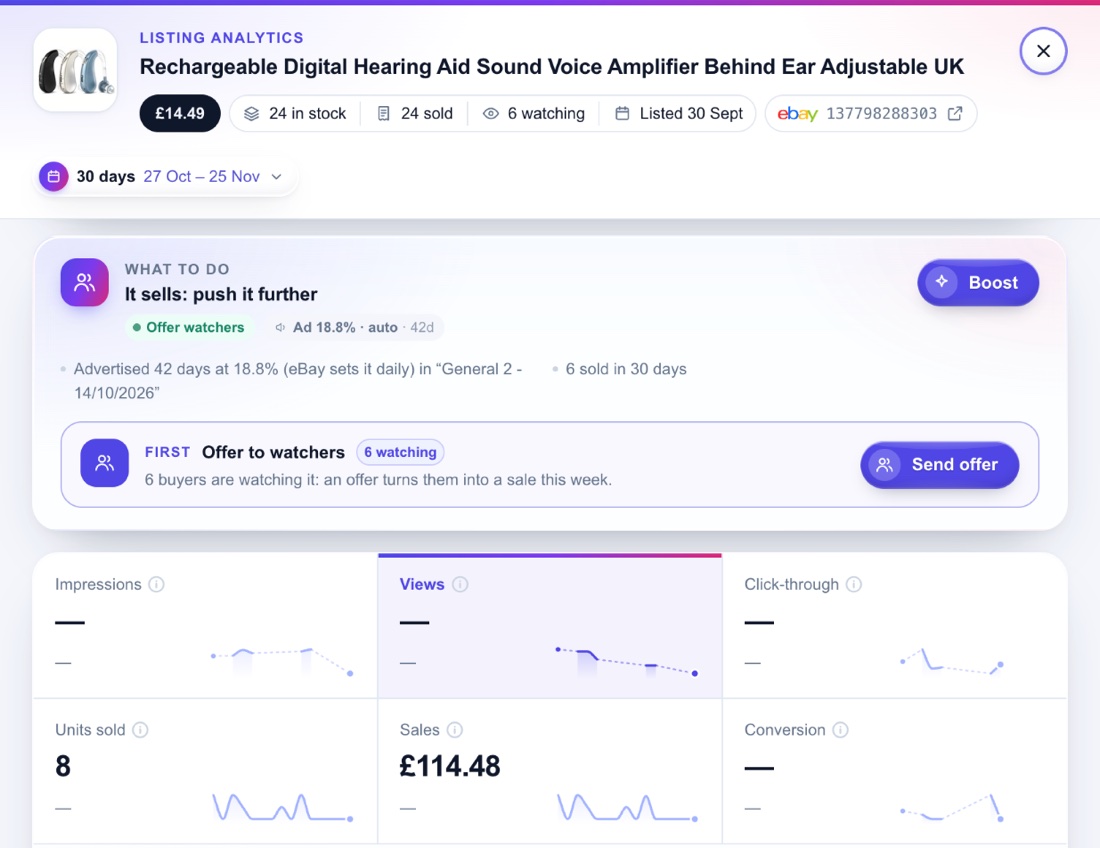
A health check for every listing
Each listing is judged step by step against your typical one: is it shown in search, is it clicked, is it bought? The weak step stands out, with the sales it's likely costing you and what to change.
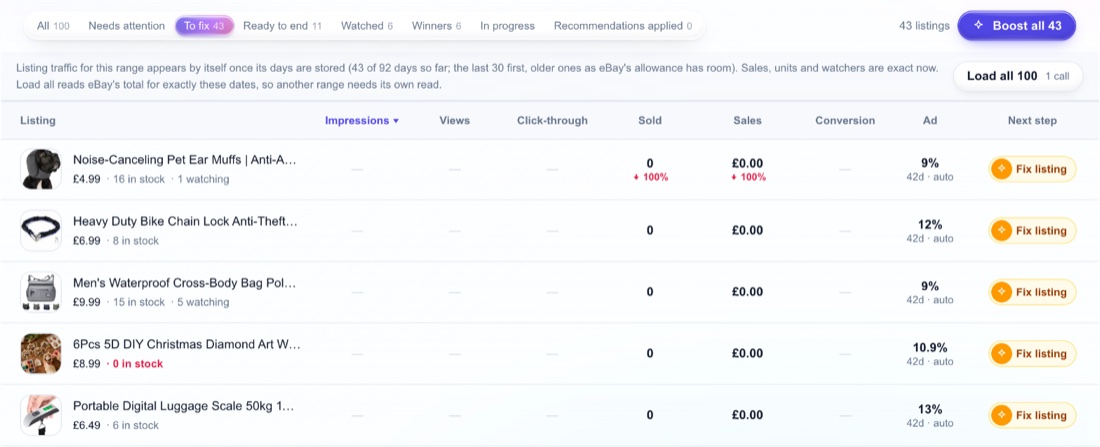
A plan for every listing: fix, boost or end
Your listings are grouped by what to do next: to fix, ready to end, watched, winners and in progress, each listing with its next step as a button. A listing that has had its chance and still doesn't sell is offered for ending, with its reason, and one last try first.
- Fixes by AIA stronger title, the missing item specifics or a clearer description, in the editor for you to check.
- Boosts through eBayPromoted Listings, a sale or an offer to watchers, each checked against your costs first.
- Your ads knownA listing already advertised and still not selling is fixed, not given a second ad.
Every change measured, before and after
Each change you make in SellingSquads is recorded and judged on the 14 days before it against the days after: selling better, less or the same, with sales and conversion before and after, so you know which fixes pay.
Where your views come from
eBay search, your store, direct visits, other eBay pages and off eBay, for each listing and the whole store, so you know where the work pays.
What Analytics costs
Analytics is $19.99 per store a month. The Pro plan includes it on 1 store and the Team plan on 2. The Team plan can switch it on for up to 10 stores. eBay gives each app a set number of analytics reads a day, so more stores are switched on by request.
eBay listing analytics questions
Why is my eBay listing not selling?
Usually one of three steps fails: it isn't shown in search, it's shown but not clicked, or it's clicked but not bought. SellingSquads compares each listing with your typical one at each step, so you see which one fails and what to change.
Where do the figures come from?
From eBay itself: each store's traffic report through eBay's own analytics, read every night and kept day by day. Sales come from your orders.
How much history do I get?
Up to 90 days. Your last 30 days are ready within minutes of switching a store on, and the rest fills in over the following days.
Can it run Promoted Listings for me?
Yes, through eBay's own Promoted Listings: a campaign of its own for the listings you choose, at a rate you set, ending by itself. Each boost is checked against the listing's cost with the ad paid, so it doesn't sell at a loss.
Which plan includes Analytics?
The Pro plan, with Analytics on 1 store, and the Team plan, on 2. More stores cost $19.99 each a month.
See why your listings sell
Start a 5-day free trial. Your card is needed to start, and nothing is charged for 5 days.
Start free trial